
Home / Services / Full Remote Service

The operations layer behind your on-site team

Complete 24/7 remote property management powered by two decades of hospitality expertise and proprietary technology, so your team can focus entirely on on-site operations.
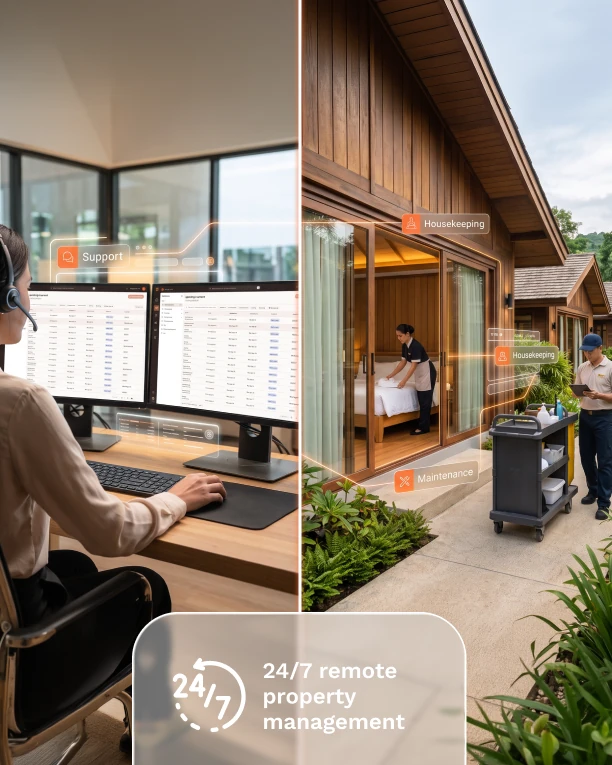
Split view: a Dharma remote team member handling support in Dharma OPS, and on-site housekeeping and maintenance staff at a property, labeled 24/7 remote property management

Recognize these operational friction points?

“Every new property means more salaries: reservations, revenue, night cover. Our margins keep shrinking.”

High overhead

“Everything waits on two people. When they’re busy, bookings, repairs and replies all stall.”

Operational bottlenecks

“Messages in one app, maintenance in another, pricing in a spreadsheet. Nobody sees the whole picture.”

Fragmented tech

“Each property does things its own way, and guests notice the difference.”

Inconsistent service across properties

Your complete 24/7 operational engine.

Our remote team becomes your off-site backbone, managing reservations, revenue, and guest communication around the clock, while your local team stays focused on guest hospitality.

What our team manages

Reservations, Guest Services & Sales

24/7 guest messaging across all channels, handling inquiries, pre-arrival details, and booking conversions.

Revenue Management

Daily dynamic pricing managed by experts to optimize your ADR, occupancy, and RevPAR.

Channels & Direct Bookings

Multi-channel listing distribution paired with seamless direct booking tools on your website.

On-Site Coordination

24/7 scheduling, dispatching, and quality auditing for your housekeeping, maintenance, and vendors.

Complete operational transparency

  • Monthly Owner Reports
  • Live Performance Dashboard
  • Monthly Strategy Reviews

Dedicated team & coverage

  • 24/7 / 365 Operations
  • Dedicated Account Manager
  • English & Spanish Support

A seamless transition to remote operations

From initial call to full go-live in 6–8 weeks, keeping your PMS and local staff fully aligned.

  1. Week 1

    Discovery call

    Define scope, brand strategy, and reporting requirements.

  2. Weeks 2–4

    System setup

    Set up units and users in Dharma OPS and connect all booking channels.

  3. Weeks 4–6

    Knowledge and workflows

    Load property details, FAQs, work order rules, and spending thresholds.

  4. Weeks 6–8

    Training and go live

    Train your team on the OPS mobile app, launch, and stabilize.

How our teams work together

  1. Our remote team – Desktop OPS

    Runs remote operations

    Manages bookings, guest messages, revenue, and task dispatching.

  2. Your on-site team – Mobile OPS App

    Handles physical tasks

    Executes cleanings, repairs, inspections, and in-person guest care.

  3. Handoffs & Updates

    Logged in OPS in real time

    Messages, work orders, and reservation changes stay visible to both teams.

  4. Your Control

    Marketing & spending limits

    You control your brand, marketing, and stay within agreed refund/spend limits.

  5. Monthly Review

    Dedicated account management

    Your account manager reviews monthly performance and optimization goals.

The role of Dharma OPS and connected systems

Dharma OPS centralizes every booking, guest message, and work order in real time. Our remote team manages operations on desktop while your on-site staff uses our mobile app, fully synced with your PMS.

  • Dharma OPS: work orders, guest messages, unit information and team knowledge
  • Property management system (PMS): reservations, long stays, rates, payments and owner reporting
  • Channel manager: distribution to 2,000+ channels, with availability synced in real time
  • Booking engine: direct bookings on your property’s own website
Dharma OPS on a laptop connected to the channel manager and booking engine and to the property management system

Who uses our Full Remote Service

Ideal for hotel groups, serviced apartments, and real estate partners managing 10+ units looking to scale without expanding headcount.

What full remote management changes

+53%Direct bookings, New York City metro market, 2023 to 2025
+30%RevPAR after one year of revenue management in London
+8.6%ADR at the Miami Beach property, 2023 to 2025

Smooth operations, noticed

★★★★★

“The apartment is meticulously cleaned, has everything you can think of, including full kitchen and appliances, washer/dryer, plenty of space… I have nothing but admiration of our one week vacation in this hotel.”

Sergey R, on TripAdvisor, Monte Carlo

★★★★★

“It felt like an elevated camp lodge experience rather than a hotel. Cozy rooms with all you need… Such nice staff and beautiful views.”

Carol, on Expedia, New Jersey

Plans and pricing

Dharma White Label and Dharma Enterprise, side by side with every plan.

Compare all plans

Questions owners ask

What’s the difference between White Label and Enterprise?
The service is the same. On White Label, guests see your brand and you run your own marketing. On Enterprise, your property is sold as Dharma Home Suites and we run the website and marketing.
Why do White Label and Enterprise use your systems?
Running reservations, revenue and distribution well needs the PMS, channel manager and booking engine working together with Dharma OPS. They’re included and required, and aren’t sold separately.
Do I keep my on-site team?
Yes. Your housekeepers and maintenance staff stay with you. We coordinate their work remotely through the OPS mobile app.
What reports will I get?
A monthly performance report, direct booking figures, and live ADR, occupancy, RevPAR and work order reports, with a monthly review meeting. Enterprise adds a marketing report.
How is it priced?
White Label and Enterprise are quoted, including setup. The minimum is 10 units, a 1-year term applies, and a 10% commission applies to direct bookings Dharma makes.
How long does it take to start?
Typically 6–8 weeks, including moving to the connected systems.

Scale your portfolio without multiplying your workload.

Schedule a management discovery call.

Book a callCompare plans